Why Every Professional Team Is One Spreadsheet Away from a Missed Deadline
Contracts, licences, certifications, visas — if your team tracks renewals on a spreadsheet, your next missed deadline is already counting down.
This isn't a blog just for HR. If your team manages contracts, licences, certifications, insurance policies, or any document with a renewal date this is for you. Because without proper Document Expiry Tracking, the failure mode is identical across every professional function, and the consequences are serious in all of them.
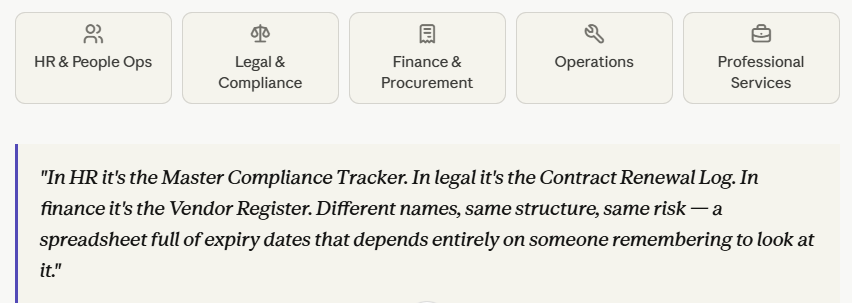
Every Professional Function has Documents at Risk
Renewal tracking affects any team managing time-sensitive documents at scale. The document types differ the failure mode doesn't.
HR & People Ops
Work visas & authorizations, employment contracts, DBS checks, GDPR training, safety certifications, employer liability insurance
Legal & Compliance
Client contracts, NDAs, MSAs, regulatory filings, data processing agreements, compliance certifications
Finance & Procurement
Vendor agreements, software licences, PI & D&O insurance, supplier accreditations, payment renewal triggers
Operations
Equipment inspections, fire risk assessments, PAT testing, health & safety records, lease agreements
Professional Services
Client retainers, PI insurance, industry memberships, practising certificates, regulatory authorizations
The Failure is Structural - Not a People Problem
When a deadline gets missed, the instinct is to ask who dropped the ball. In most cases, the system had no ball to drop.
Spreadsheet-based document expiry tracking fails in three predictable ways, regardless of which department is using it:
1) The reminder lives outside the data
Renewal date: in a cell. Reminder: in someone's calendar. No connection between them. When that person leaves, the alert disappears the date keeps counting down silently.
2)Ownership is named, not enforced
"Owner: James" doesn't notify James, escalate to his manager, or create a task. It's documentation. The moment anything disrupts James's awareness, the document lapses.
3)Visibility requires effort
Knowing what's expiring next quarter means opening the file, sorting, filtering, and reviewing. A reactive task done after something has slipped, not before.
What "getting it wrong" Looks like Across Every Function
HR / People
Lapsed work visa → illegal employment, Home Office scrutiny, civil penalty. Regardless of intent.
Legal / Compliance
Missed contract clause → unfavorable auto-renewal, breach, or loss of regulatory authorization to operate.
Finance / Procurement
Expired PI insurance → any claim during the gap is fully uninsured. No exceptions.
Operations
Overdue safety inspection → health & safety violation, insurance voided, negligence established in any incident.
Professional Services
Lapsed industry membership → inability to take new clients or practice in regulated areas. Direct revenue impact.
A Real Scenario: The Contract that Auto-Renewed on Old Terms
Spreadsheet tracking
Month 1
Contract logged with auto-renewal clause: 60 days notice required to renegotiate.
Month 6
Account manager who tracked it leaves. Replacement inherits the spreadsheet, not the context.
Month 10
60-day notice window passes. Nobody knew. Contract auto-renews at pricing 22% below current rates.
Month 12
Discovery during a quarterly review. Firm locked in for another 12 months. Estimated margin loss: £40,000.
Automated tracking
Month 1
Contract logged. Action date set: 60-day notice window. Separate alert from the renewal date itself.
Month 6
Account manager leaves. New owner assigned in one click. Alert schedule continues uninterrupted.
Month 9
Automatic alert fires to account owner and their manager 75 days before deadline. Notice period flagged.
Month 10
Notice served. Renegotiation initiated. Contract renewed on current terms. Zero margin lost.
Document Expiry Tracking vs Spreadsheets: What the Systems Actually Do
The difference isn't features. It's where intelligence lives. In a spreadsheet, intelligence lives with the person and leaves when they do. In an automated system, intelligence lives in the system.
| Area | Spreadsheet | Automated tracking |
| Renewal alerts | Manual — lost when people leave | Automatic — document drives the alert |
| Ownership | Implied by a column value | Enforced with acknowledgement required |
| Escalation | Manual — someone must notice | Built-in — runs on schedule automatically |
| Audit trail | Reconstructed from history | Generated automatically, always current |
| Regulatory exposure | High — no safety net on lapse | Low — multiple alert layers before expiry |
Where to Start — for Any Team
1.Catalogue your expiry-sensitive documents
List every document type across your organisation with a renewal, expiry, or action date — contracts, licences, certifications, insurance, memberships, compliance records.
2.Rank by consequence
Prioritise documents where lapsing creates legal liability, regulatory risk, or financial exposure. Work permits, insurance policies, and regulated certifications sit at the top.
3.Pilot on your highest-risk category
Move that one category into a dedicated document expiry tracking system. Configure alerts, assign owners, and run it for a quarter alongside your spreadsheet.
4.Measure the difference
How much time was spent chasing renewals? How many alerts fired automatically? How many near-misses did the system catch that the spreadsheet wouldn't have?

No comments yet. Login to start a new discussion Start a new discussion